Nanosurf Python Scripting Interface
Brand: Nanosurf | Category: Nanotechnology
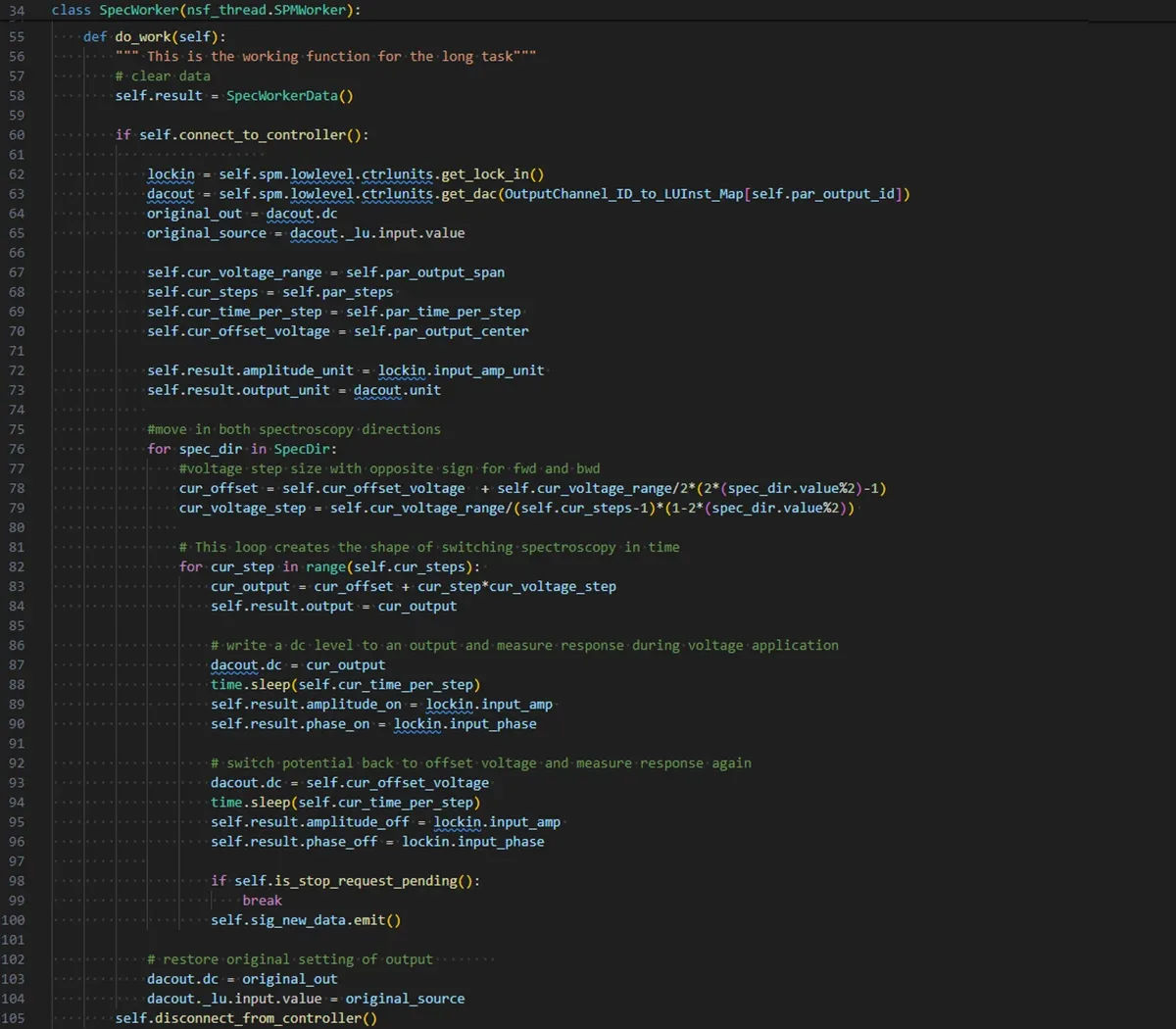
Nanosurf control software publishes its functionality through a COM interface by running an instance of a COM Automation Server, which COM Automation Clients can query at runtime and then call. Those functions are reachable from most modern programming languages, among them Python, C++, C#, VBS, Matlab, JS and LabView. Nanosurf has built a Python API on top of this so that routine tasks can be automated and custom experiments and workflows written as Python scripts. The Nanosurf Python package is installed from PyPI with pip install nanosurf, and a Programmers Manual and Python Library Overview are available as documentation.
Published software capabilities
| Parameter | Value |
|---|---|
| Control interface | COM automation server and Python API |
| Scripted operations | Instrument setup, approach, scanning and data saving |
| Distribution | Nanosurf Python package through PyPI |
Selected manufacturer-listed software capabilities. Confirm current instrument, controller, operating-system and licence compatibility; optional modules and connected hardware determine the available functions. Checked 2026-09-29.
Confirm your configuration
Share the details you know so we can prepare a comparable, itemised offer.
- Installed instrument/controller and software version to be supported
- Required analysis modules, licence term, number of users and data export
- Computer requirements, installation, training and update/support entitlement
Get a Quote
Request an itemised quotation covering the proposed configuration, availability, lead time and agreed supply and support scope.
Useful details to share
- Materials, sample dimensions and process or measurement goal
- Required performance and existing instrument interfaces
Share what you know. You can start with your name and a phone number or email; final specifications can follow.
Not sure which configuration you need? Help me choose
Contact Vvon Technologies Limited about Nanosurf equipment requirements in Bangladesh.
Phone: +8801805987890 | Email: info@vvon.com.bd
More from Instrument Software
- Nanosurf Studio
Nanosurf Studio is the control and analysis software for the DriveAFM, and it reworks the look and feel of AFM control with a browser-like experience and scrollable tabs for multi-screen operation. It suits novice and expert scanning probe microscopy users alike, and quarterly releases add features, improved workflows and bugfixes. AutoAlign uses the DriveAFM's full motorisation to align the beam deflection and photothermal excitation optics with one click, while ViewPort handles visualisation and navigation across many orders of magnitude, covering AFM measurements, camera feeds and other image data, and allows AFM and optical images to be overlaid in a correlative workspace. User interface layouts can be set up individually, AFM setup is automated, and instrument control is fully scriptable.
- Naio Control Software
Naio Control Software drives Nanosurf's Naio instruments through the same intuitive platform used across the company's AFM range. Selecting the cantilever triggers an automatic, parameter free frequency sweep before approach, removing the need to set tuning parameters by hand. Further usability features cover a spectroscopy wizard, automated deflection calibration, beginner and advanced layouts, a mode aware configurable graph area, and file handling with naming conventions, Windows Explorer integration, an image gallery and bulk renaming. Updates are released regularly at no cost and the software can be installed on any number of computers for analysis.
- EasyTau 2
EasyTau 2 brings hardware control, data acquisition and analysis for PicoQuant spectrometer systems into a single time-resolved fluorescence workflow. Three operating modes are offered: a Wizard mode with guided step by step workflows, a Customized mode giving full manual control of hardware and acquisition parameters, and a Scripting mode for automated measurement routines and remote execution. Analysis covers multi-exponential decay fitting up to 5th order, lifetime distribution models including Gaussian, Lorentzian and stretched exponential, anisotropy analysis from polarisation resolved studies, global and batch fitting across multiple datasets, bootstrap error analysis with confidence intervals, and IRF corrected reconvolution fitting.